Fast, Secure, and Flexible Hosting for WordPress Websites
Host your WordPress website on hosting infrastructure in Japan. Whether you are launching a business website publishing a blog or managing a store choose hosting resources that match your website’s traffic, storage needs and future growth.
WordPress Hosting Plans
WordPress Hosting Features That Matter

WordPress Installation and Management
Get your WordPress website running and manage its themes, plugins, content, and settings through the familiar WordPress dashboard.

SSL and HTTPS Support
Protect connections between your website and its visitors with SSL/TLS certificates. HTTPS is especially important for login pages, contact forms, and ecommerce websites.
PHP and Database Compatibility
WordPress depends on PHP and a supported database environment. Choosing compatible software versions helps maintain functionality and reduces avoidable plugin or theme issues.
How to Get Started with WordPress Hosting?
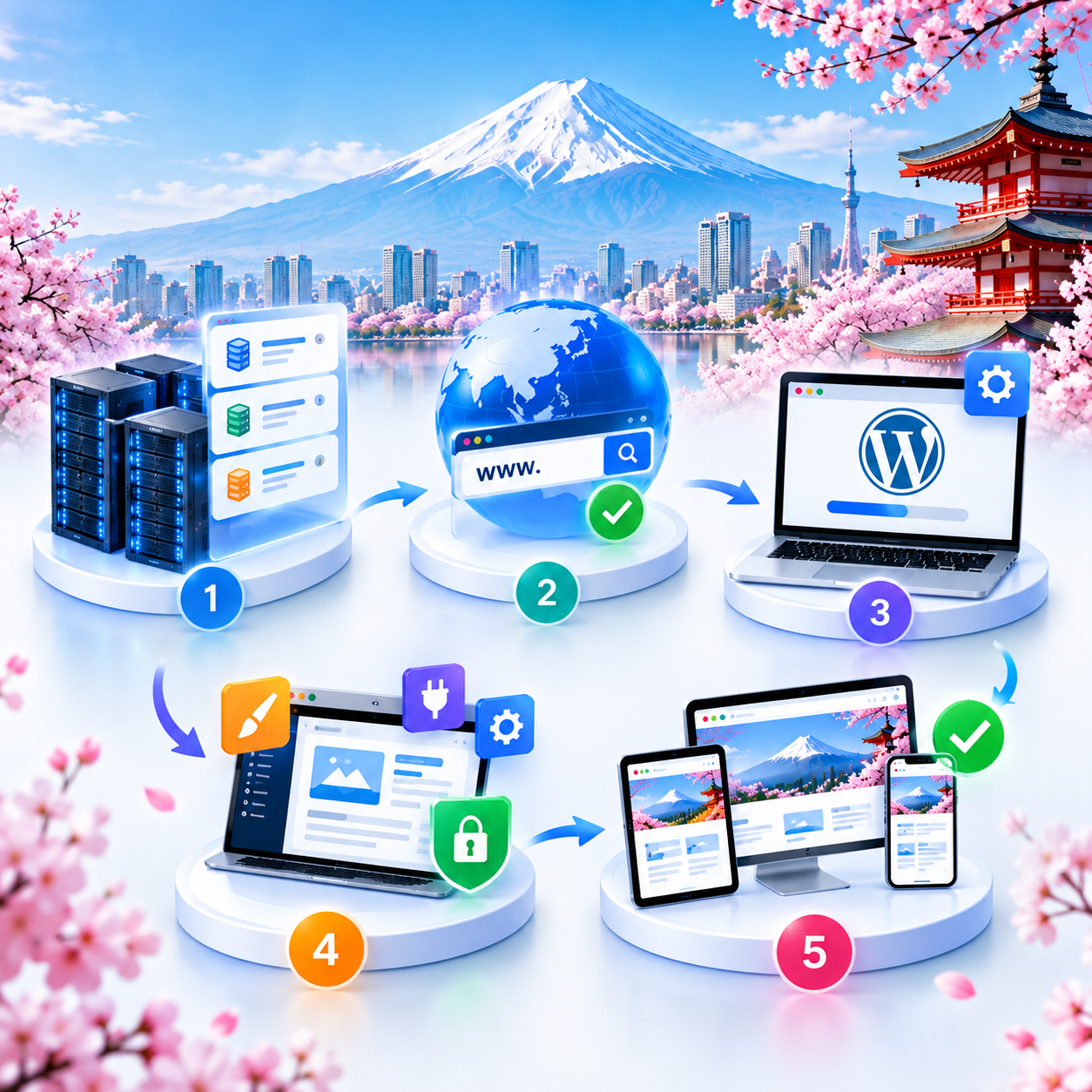
Step 1: Select a Hosting Plan
Choose a plan that fits your website’s storage, traffic, and application requirements.
Step 2: Connect Your Domain
Register a new domain or point an existing domain to your hosting environment using the appropriate DNS records.
Step 3: Install WordPress
Install WordPress using the installation method supported by your hosting account. Configure the administrator account and basic website settings.
Step 4: Configure Your Website
Select a theme, create essential pages, install necessary plugins, and enable HTTPS.
Step 5: Test Before Launching
Check mobile layouts, contact forms, page loading, redirects, and plugin functionality before making your website publicly available.
Frequently Asked Questions About Windows Web Hosting